1
Dual-Function Integration
Virtual positioning with joystick movement + auto-catching — all in one device
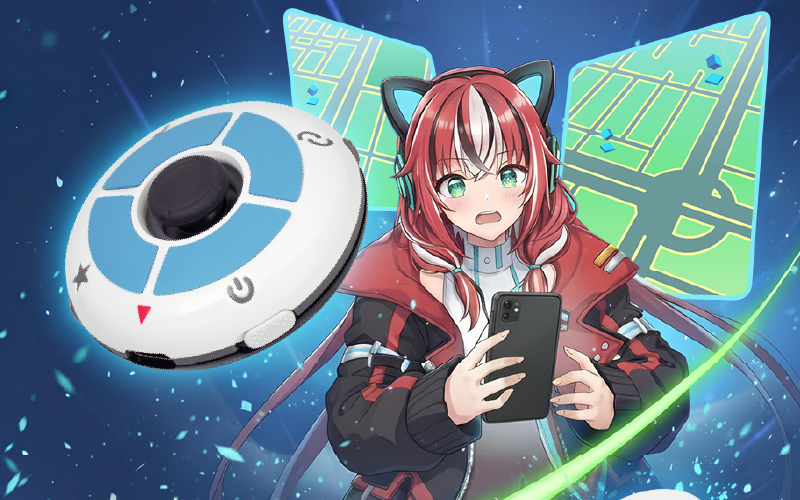
Virtual positioning with joystick movement + auto-catching — all in one device
Enter a place name or coordinates, and Flymon will take you there — with cooldown time displayed.
Native installation for better security and stability.
Activate a “centered on your current location” circling mode with one tap. Range and speed are adjustable.

Choose a destination or move with the joystick — enjoy the freedom of exploration!
Flymon includes cooldown protection and natural movement guidance to minimize risks. Follow realistic travel intervals and avoid interacting immediately after long-distance movement.
System calculates the waiting time based on travel distance. It's safer to catch Pokémon or spin PokéStops only after the countdown ends.
What permissions the app requires, and why: BluetoothRequired to connect and communicate with your MEGACOM device (Flymon / DuoMon / Catchmon). All Bluetooth communication happens locally between your phone and your device. No Bluetooth data is transmitted to our servers. Location (Android only)Android's operating system requires location permission to scan for nearby Bluetooth devices. We do not track, record, or store your GPS location at any point. This permission is a system requirement from Google, not a choice we made. NotificationsUsed to alert you when your device disconnects or successfully reconnects. This is optional and can be disabled in your phone's settings at any time. Our data commitment — in plain English: We do not collect any data generated through the MEGACOM Center app We do not store your location, movement, or gameplay data We do not sell or share your data with any third parties All communication between the app and your device stays on your phone Why does the app need these permissions at all?MEGACOM Center connects to your accessory via Bluetooth Low Energy (BLE). This is the same technology used by AirPods, fitness trackers, and Pokémon GO Plus+. The permissions listed above are the minimum required by iOS and Android to make this connection work. Questions?If you have any concerns about app permissions or data handling, contact us at inquiry@sperry.com.tw — we're happy to explain anything in more detail.
Check App Store for details. Recommend iOS 15+ and mainstream iPhone models.
Download app, connect Flymon, start now.
The Pikmin Bloom September 2026 event is here! This month introduces the brand-new Sausage Decor Pikmin, while the popular Mooncake Decor Pikmin and Fall Sticker Decor Pikmin are also making a return. If you are trying to complete your Decor Pikmin collection, September will once again be packed with walking, flower planting, expeditions, and Mushroom Battles. For missions that require continuous movement or large amounts of flower planting, Flymon’s Route and Auto Circle features can also make your event routine more convenient.
![[2026 Pokémon GO Wild Area] Event Dates, Highlights, and Remote Play Guide for Miyagi & Mexico City!](https://flymonpro.com/uploads/news/1785217957_c8ed302d8a783e049945.jpg)
Trainers, are you ready? Official sources have announced that the massive live event, "Pokémon GO Wild Area 2026," will take place from November 6 (Fri) to November 8 (Sun), 2026! This year's main live venues are located in Miyagi Prefecture, Japan, and Mexico City, Mexico. The news has sparked immense excitement across gaming communities worldwide. However, with expensive international airfare, tight work schedules, and long travel hours, do casual players have to miss out on this annual celebration? Not at all! With the Flymon Physical Game Joystick, you can join global hotspot events effortlessly from the comfort of your couch!
A complete guide to the Pikmin Bloom July event, including the Classical Music Celebration, Mini Instrument: Orchestra Decor Pikmin, Epiphyllum Community Day, Mystery Mushrooms, Mushroom Battle updates, and Flymon route planning tips.