[Use Case] How to Plant Flowers and Grow Seedlings Using Auto Step Count
Initial Setup: Enable Health Data Sync
1.Open the Flymon Center app and go to the Health Data screen.
2.Tap Start to enter the Health Data screen. Select Turn ON All and tap Allow to grant Flymon access to read and write your HealthKit data.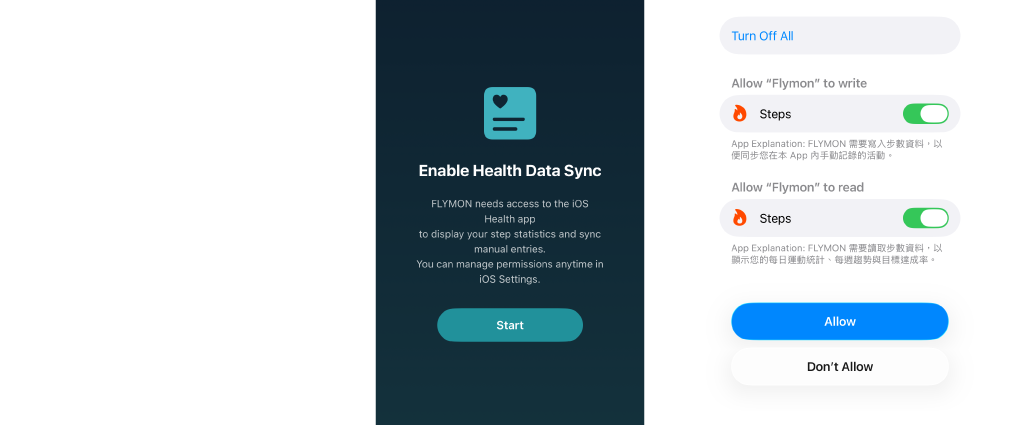
3.Once synchronized, you can check your HealthKit authorization status in Health Settings at the top right of the Health Data screen.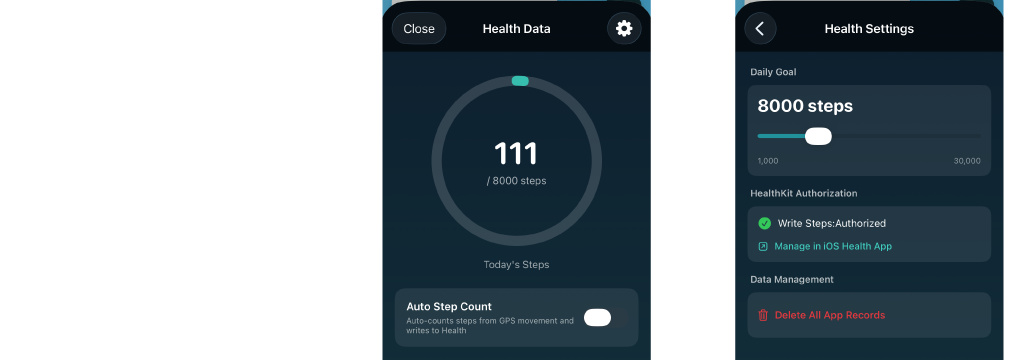
Basic Settings: Adjust Movement Speed
1.Open the Flymon Center app and go to the Settings screen.
2.Set the Speed to between 15 and 20 km/h to ensure optimal efficiency for step count and flower planting detection.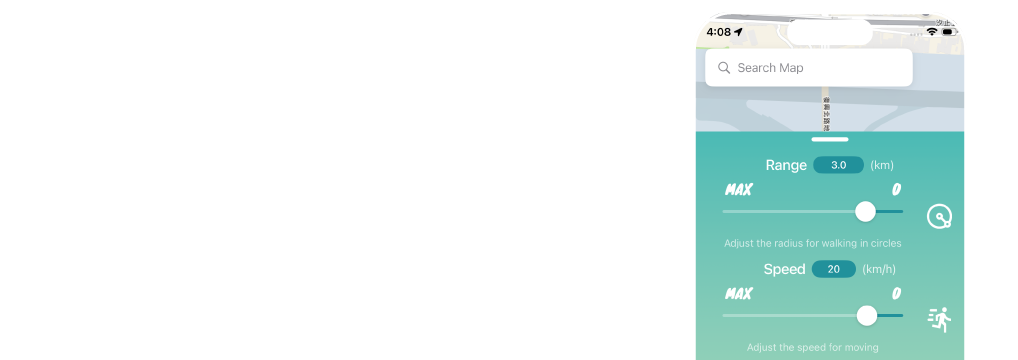
Scenario 1: Enabling Auto Step Count
Combine with Auto Step Count to plant flowers and accumulate steps simultaneously while using Auto Circling or Route.
1.Open the Flymon Center app, go to the Health Data screen, and toggle Auto Step Count ON.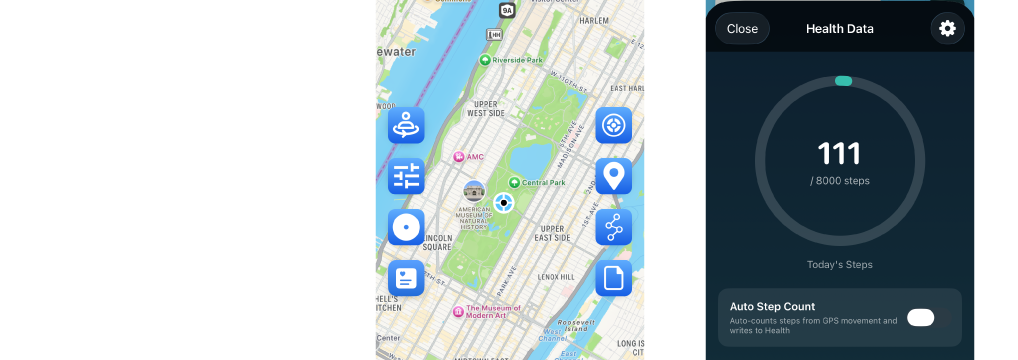
2.Set step limit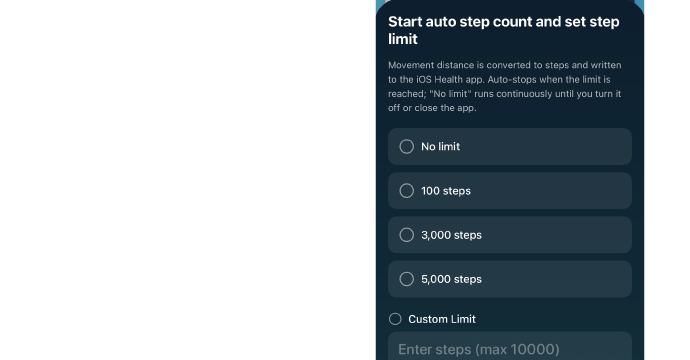
-
No limit: Continuously accumulate steps beyond 10,000.
-
Custom Limit: Choose from 1,000, 3,000, or 5,000 steps, or enter a custom amount (up to 10,000 steps). Step counting will automatically stop once the goal is reached.
3.Once activated, the Health Data icon will change to a walking character style.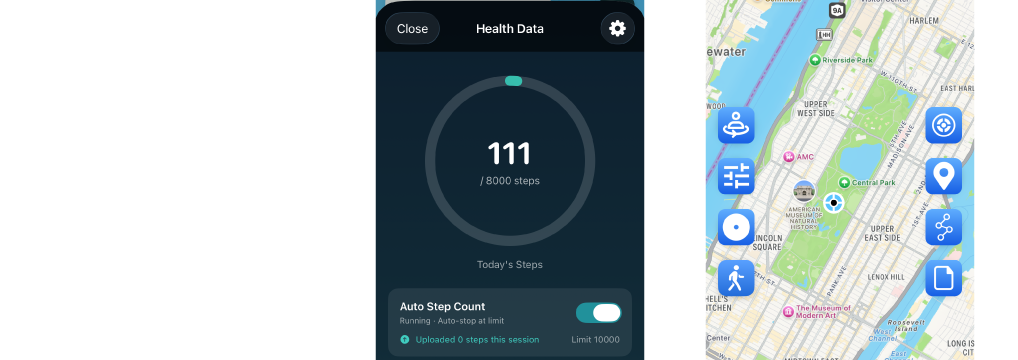
4.Launch Auto Circling or Route, and pair it with the game's Flower Planting mode.
- Auto Circling
Enable Auto Circling in Flymon.
- Route
Tap the "Route" button on the right. The window will slide up from the bottom.
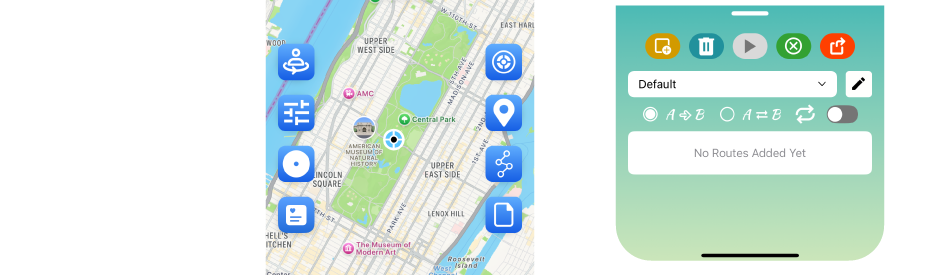
Long-press your first location on the map (e.g., park entrance) to add "Waypoint 1", then tap other locations to add "Waypoints 2, 3, 4..."
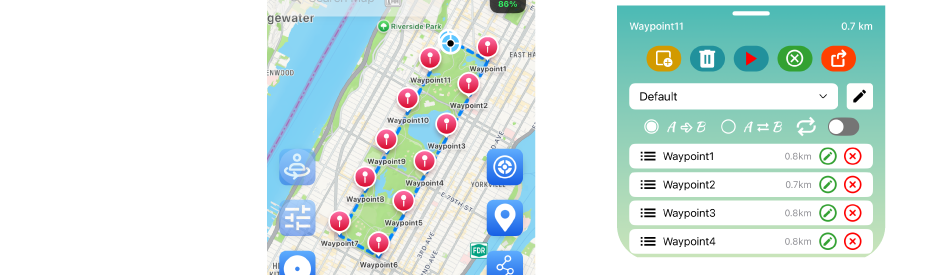
Choose between 【A→B】Loop or 【A⇄B】Round Trip.To keep your character moving continuously, toggle on 【🔁】Repeat.
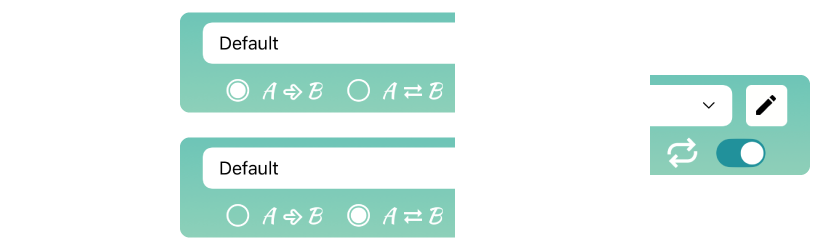
【A→B】Loop: 1→2→3→1
【A⇄B】Round Trip: 1→2→3→2→1
【🔁】Repeat: Keep moving along the route indefinitely.
Once your route is ready, tap "🚶 Go To" to begin. Your character will automatically follow the waypoints in sequence.
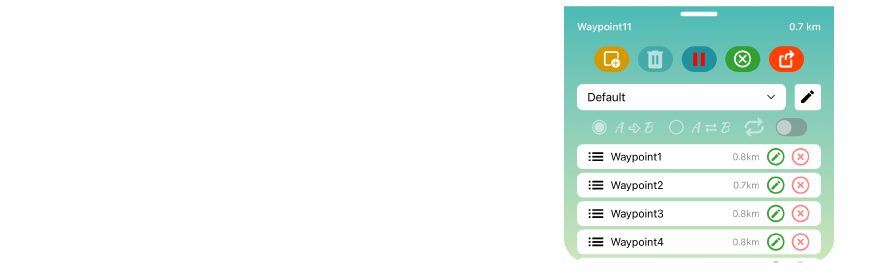
6.Switch to Pikmin Bloom, and your character will start moving automatically.
Place the Seedling you wish to grow to achieve the dual benefit of increasing in-game steps and continuous flower planting.
💡 System Note: After the Flymon Center app uploads your recorded steps, the values in Pikmin Bloom will update gradually over time based on the system schedule.
Scenario 2: Manually Adding Steps
Enter the required step count to quickly hatch 10,000-step Huge Seedlings.
1.If Auto Step Count is active, return to the Flymon Center app, go to Health Data, and toggle Auto Step Count OFF.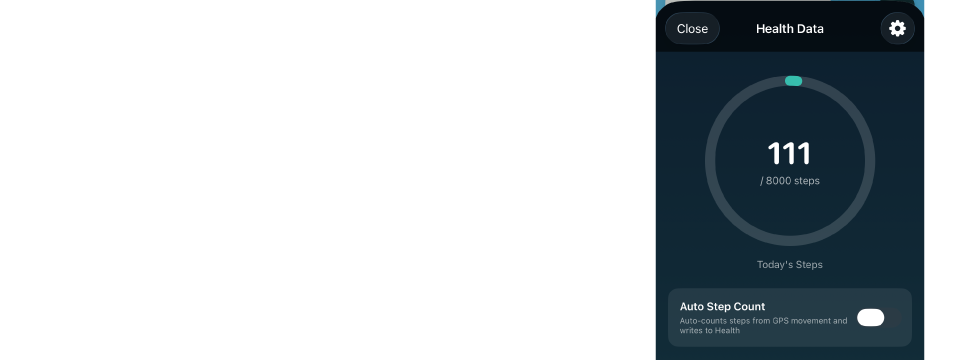
2.Switch to the Planter Pack in Pikmin Bloom, and place your Gold Seedling or Huge Seedling into a slot.
3.In Health Data within Flymon Center, tap "Add Steps", enter the target number of steps required for that seedling to fill the remaining count, and save.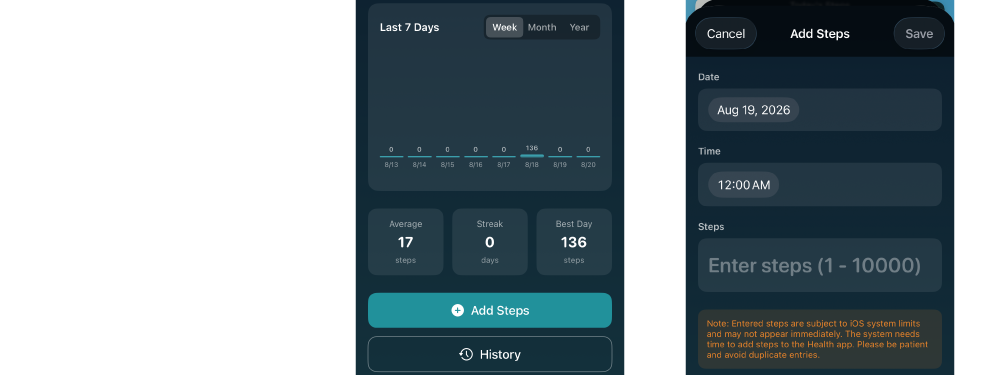
4.Switch back to Pikmin Bloom and refresh the screen to allow data synchronization. The seedling will instantly reach the required step count, ready for you to pluck the Pikmin!