[Use Case] I Want to Teleport to a Nearby Park to Catch Pokémon - Click cover image for video tutorial

Learn how to quickly master the basic operations and practical tips of the Flymon Center app through everyday scenarios. From searching locations and teleporting to saving favorite coordinates with one tap, this guide helps you easily achieve precise positioning and high-efficiency catching!

ADVANCED FEATURES

[Use Case] I Want to Teleport to a Nearby Park to Catch Pokémon - Click cover image for video tutorial

Category:Advanced Features · Last Updated:2026-09-03

Prerequisites

1.Installed the Flymon Center app and established a Bluetooth connection.

2.Opened Pokémon GO and completed the "Accessory Devices" connection.

Steps
 

Step 1: Search for the park location

1.Open the Flymon Center app.


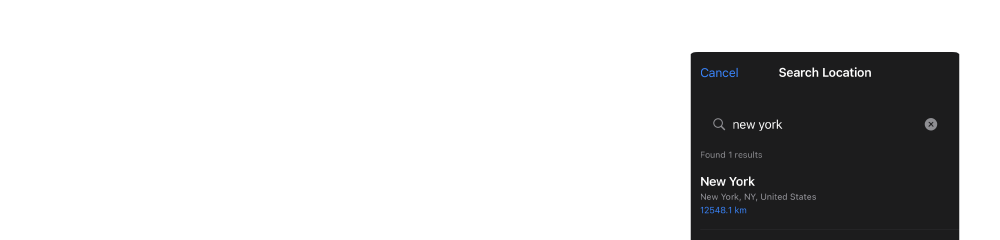
2.Tap the 【Location Search Bar】 at the top of the main screen.

3.Enter "park" or specific address keywords (e.g., "XX Park").

4.The system will display related locations; tap the destination you wish to go to.

Step 2: Select 【Fly To】

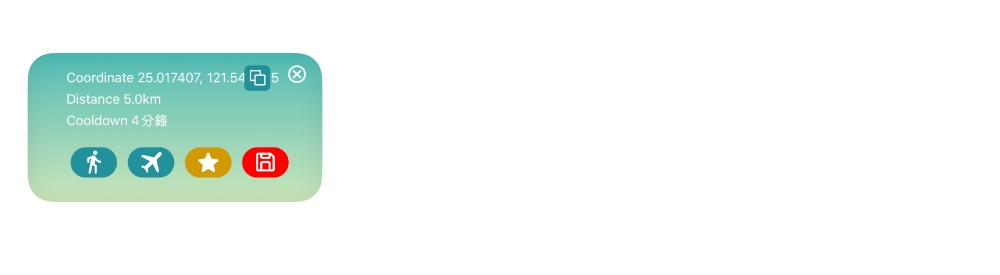
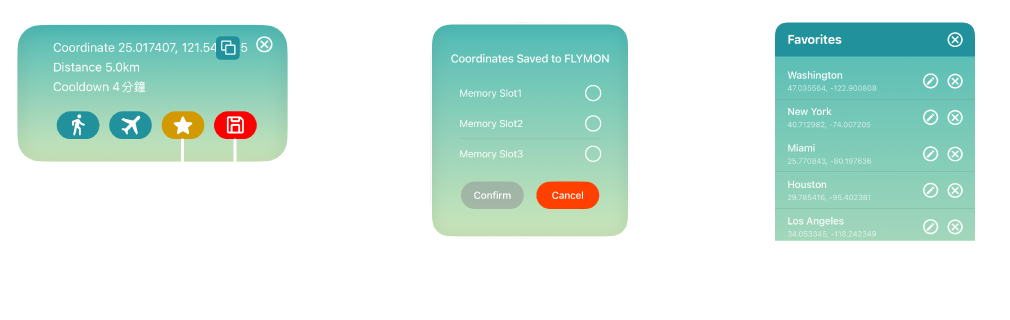
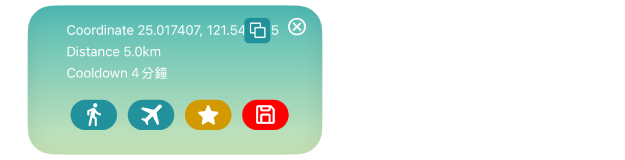
1.After selecting a location, the map will mark the coordinates, and an An info window will appear.

2.Tap the 【✈️ Fly To】 button in the window, and the virtual pin will move to the target location instantly.

3.Tap 【Return to Location】, and the map view will move to those coordinates.

  • It is recommended to self-monitor and wait until the cooldown time shown in the Info Window ends before interacting with the game. This cooldown period simulates actual travel time to reduce risks and ensure account safety.

Step 3 (Optional): Save the location for next time

If you visit this park frequently, you can save the coordinates using the following methods:

  • 【Memory Slot】: Save to the physical Flymon device to move directly using the device buttons later.

  • 【💾 Save to Favorites】: Save multiple coordinates to your 【Favorites】 list.

Tips

  • If you don't want to use 【✈️ Fly To】, you can select 【🚶 Go To】 to simulate realistic walking speeds.

  • Under the 【Speed】 option in the 【Settings】 screen, you can customize the 【🚶 Go To】 movement speed. We recommend setting it to 9–12 km/h, which is the optimal speed for auto-catching and hatching eggs.

  • You can combine 【🚶 Go To】 with 【Catchmon Mode】 to automatically catch Pokémon and spin PokéStops before arriving at the park!

  • If you confirm that no cooldown action was triggered after opening the game, you can turn on 【Catchmon Mode】 in advance. Upon arriving at the park via 【✈️ Fly To】, the system will instantly start auto-catching and collecting items!