[Troubleshooting] How to Travel Abroad on iOS 27, and Complete the Full Setup
Prerequisites
-
Pair your Flymon device with the Flymon Center app via Bluetooth.
-
Download the free MEGACOM Firewall app from the App Store.
-
Ensure the MEGACOM Firewall app is updated to the latest V1.5 version.
-
Confirm your destination and copy the location coordinates.
The MEGACOM Firewall app is a dedicated GPS firewall for Flymon. By blocking the system from sending back your real location, it works alongside Flymon to bypass the iOS 15–17 km radius movement limit, allowing you to venture much further.
Method 1: Location Reset & Reconnection
1.Turn off Location Services
Go to Settings → Privacy & Security → Location Services, and toggle Location Services off.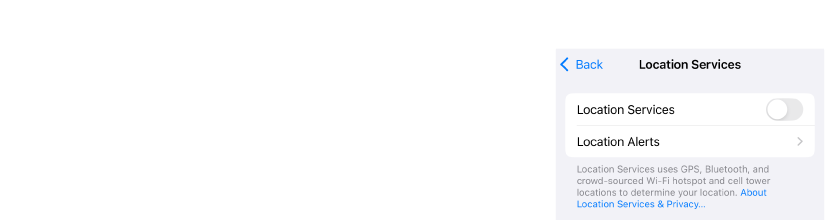
2.Restart your phone
Restart your phone to completely clear background location cache data.
3.Connect to Flymon
Once your phone reboots, first connect to the Flymon device via Bluetooth, then open the Flymon Center app.
4.Turn Location Services back on
Return to Settings → Privacy & Security → Location Services, and toggle Location Services back on.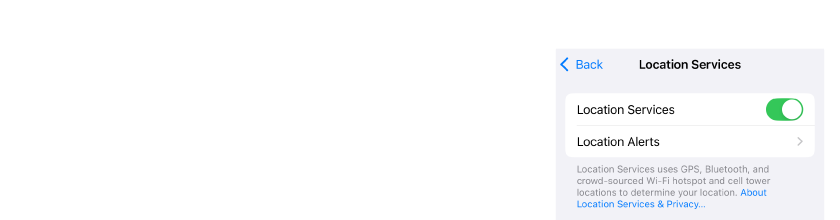
5.Enable the Firewall
After confirming that Flymon Center is successfully connected, open the MEGACOM Firewall app and switch to the blue CONNECTED state.
At this point, Flymon Center will no longer be able to search for locations, and the Location Search Bar can only be used by pasting coordinates.
※ Starting from V1.5 of the MEGACOM Firewall app, the CONNECTED status is displayed in blue.
6.Enter destination coordinates
Paste your target coordinates into Flymon Center, then tap Fly To to perform the teleport.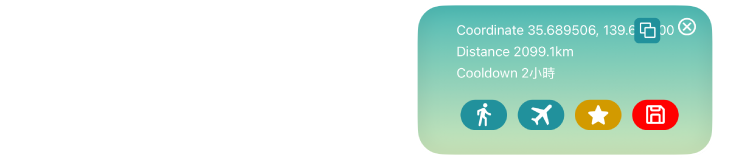
7.Reset Location Services once more
One final time, go to Settings → Privacy & Security → Location Services. Toggle Location Services off → wait 5 seconds → toggle it back on to officially apply the new coordinates.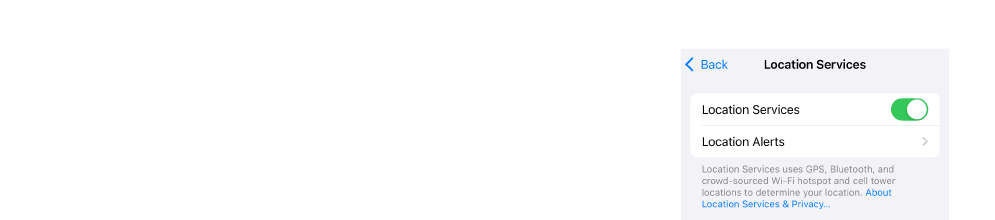
Once these steps are completed, your location will settle stably at your destination, and you can start playing as normal.
Method 2: Airplane Mode with Wi-Fi
Compared to the multi-step process of Method 1, this is a quick and simple alternative.
1.Turn on Airplane Mode on your phone.
2. Ensure Wi-Fi is turned on, and you are ready to execute the "Fly To" teleport action.
This method uses Airplane Mode to block forced location calibration from cellular signals, leaving Wi-Fi as the sole connection source to reduce the system's ability to detect your "Real Location."